
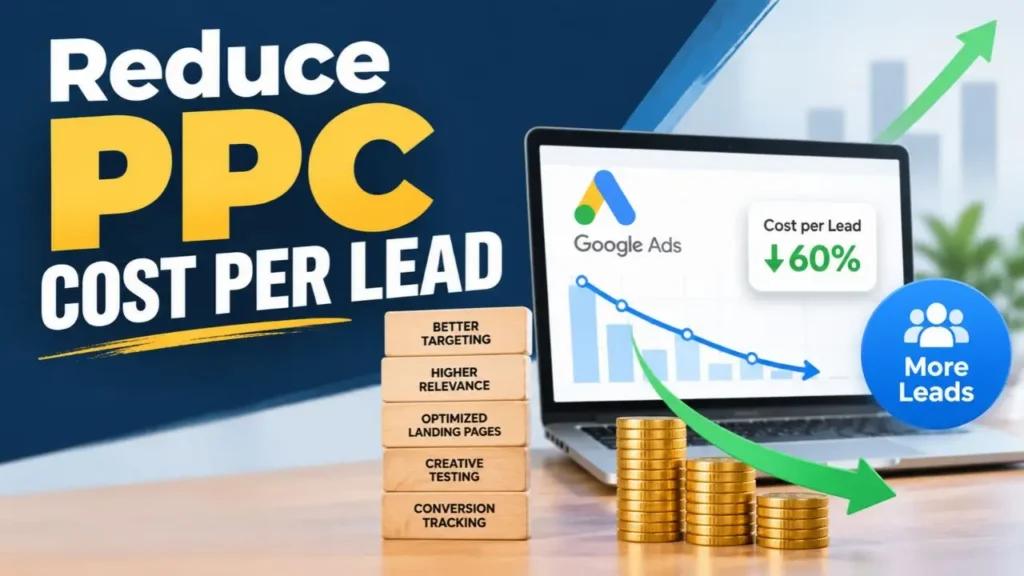
To reduce PPC cost per lead, you rarely need a bigger budget. In most accounts we audit, the money is already there. It’s just being spent on the wrong clicks. Broad keywords pull in people who were never going to enquire, ads promise one thing while the landing page says another, and bidding automation optimises toward whatever signal it’s given, whether or not that signal means a real lead.
Why Cost Per Lead Rises in the First Place
Ask most business owners why their leads are getting expensive and they’ll say competition. Competition is real, especially in sectors like real estate, healthcare and education, where many advertisers bid on the same handful of searches. But in our experience it’s rarely the main cause. The bigger problems are usually inside the account itself.
Here are the patterns we see most often:
- Broad keywords with no guardrails. A real estate developer bidding on “flats in Hyderabad” can easily end up paying for searches like “flats for rent”, “flat repair” or “PG near me”. Each of those clicks costs the same as a genuine buyer’s click.
- Negative keyword lists that were set up once and forgotten. Search behaviour changes every month. A list built at launch stops protecting the budget within weeks.
- Automation running without supervision. Smart Bidding is powerful, but it only knows what you tell it. If a form fill from a student counts the same as a form fill from a serious buyer, the system will happily chase whichever is cheaper.
- One landing page for every ad. When someone clicks an ad about home loans and lands on a general homepage, most of them leave. You paid for the click and got nothing.
None of these show up as a single dramatic problem. They add up quietly, a few rupees at a time, until the cost per lead has doubled and nobody can point to exactly when it happened.
The Results: Before and After Optimisation
Before getting into the steps, here’s what fixing these issues looked like in one account we managed in Hyderabad:
| Metric | Before | After optimisation | Change |
|---|---|---|---|
| Click-through rate | 1.5% | 4.8% | +220% |
| Cost per click | ₹38 | ₹21 | −45% |
| Conversion rate | 2.3% | 6.5% | +182% |
| Cost per lead | ₹420 | ₹250 | −40% |
The budget didn’t increase. The account simply stopped paying for clicks that were never going to convert, and the clicks it kept turned into enquiries more often.
Every account is different, and your numbers will depend on your industry, location and how competitive your keywords are. To see whether your own figures are healthy or worrying, compare them against typical CTR and CPC for your industry. That gives you a realistic target rather than a guess.
5 Ways to Reduce PPC Cost Per Lead
These steps are in the order we usually work through them. The first two tend to deliver the fastest savings. The last three take longer but have the largest long-term effect.
1. Map Keywords to Buyer Intent
Not every search is worth paying for, even if it looks relevant. “Digital marketing course”, “digital marketing jobs” and “digital marketing agency near me” all contain the same words, but only one of those people wants to hire someone.
Start by sorting your keywords into three groups:
- Ready to act: searches that include words like “agency”, “near me”, “price”, “cost”, “book” or “consultation”. These deserve most of your budget.
- Researching: searches like “how to choose” or “best ways to”. They can convert, but usually at a higher cost per lead, so give them a smaller share.
- Not your customer: jobs, courses, free resources, DIY guides and competitor brand names you don’t want to appear for. These belong on your negative list.
High-volume keywords look attractive in a report, but high-value keywords fill your sales pipeline. Once your spend matches intent, cost per lead often starts falling before you’ve touched a single bid.
2. Cut Wasted Clicks With Negative Keywords
If you only have time for one change this week, make it this one. Open the search terms report, the list of what people actually typed before clicking your ad, and go through the last 30 days line by line.
You’ll almost certainly find searches you never intended to pay for. Add them as negative keywords, and build shared negative lists for themes that keep appearing, such as “free”, “jobs”, “salary”, “course”, “training”, “PDF” and “sample”.
Do this weekly for the first month, then every two weeks after that. It’s tedious work, which is exactly why so many accounts skip it, and why skipping it costs so much.
Your keyword match types matter here too. Broad match gives Google a lot of freedom to decide what’s relevant. That can uncover useful new searches, but without close monitoring it’s also the single biggest source of wasted spend we see.
3. Test Ad Copy Against Search Intent
Your ad has one job: get the right person to click and discourage the wrong person from clicking. Most ads only try to do the first part.
Good ad copy does three things:
- It repeats what the person searched for. If someone searches “IVF clinic in Banjara Hills”, an ad that mentions IVF and Banjara Hills will almost always beat a generic one about “fertility care”.
- It gives a specific reason to choose you. Years in business, a free consultation, a number of successful cases or a clear starting price all beat vague phrases like “best quality service”.
- It filters out poor-fit clicks. Mentioning a starting price, a minimum project size or the area you serve puts off people who were never going to convert, and you don’t pay for those clicks.
Run at least two or three ad variations per ad group, and give each test enough time and impressions to reach a fair conclusion. Higher click-through rates also lift Quality Score, which feeds directly into a lower cost per click. In the account above, CTR rising from 1.5% to 4.8% was a big part of why CPC fell from ₹38 to ₹21.
4. Use Smart Bidding With Human Oversight
Google’s automated bidding strategies, including Target CPA, Maximise Conversions and Performance Max campaigns, can lower costs significantly. They can also drive them up just as quickly if they’re learning from the wrong signals.
Before relying on automation, check three things:
- Is conversion tracking accurate? If thank-you pages fire twice, or phone calls aren’t tracked at all, the system is optimising on bad data.
- Are you counting the right conversions? A newsletter sign-up and a consultation request shouldn’t be treated equally. Mark only the actions that represent real leads as primary conversions.
- Is there enough data? Automated bidding needs a steady flow of conversions to learn from. Low-volume campaigns often do better on manual or enhanced bidding until they build up history.
Knowing when smart bidding beats manual bidding is one of the most important decisions in any account. Our approach is to let automation handle the bid-level calculations, while a person reviews search terms, placements and lead quality every week. The machine is fast. The human makes sure it’s chasing the right goal.
5. Fix the Landing Page Before Raising Bids
This step is overlooked more than any other, and it’s often where the biggest gains are. If your landing page converts 2% of visitors and you improve it to 4%, your cost per lead halves without any change to your ads.
A landing page that converts well usually has:
- A headline that matches the ad. The visitor should feel instantly that they’ve arrived in the right place.
- One clear action. A short form or a click-to-call button, not a menu with ten other places to go.
- Proof. Reviews, client logos, before-and-after results or certifications, placed near the form, not hidden at the bottom of the page.
- Speed. On mobile, every extra second of loading time costs you visitors who have already been paid for.
- A short form. Ask only for what your sales team needs to make the first call. Every extra field reduces the number of people who finish.
Landing page relevance also affects your Quality Score, so a better page lowers your cost per click as well as raising your conversion rate. It’s the one change that improves both sides of the cost-per-lead calculation.
How One Hyderabad Business Cut Its Cost Per Conversion in 45 Days
A local business came to us with a familiar problem: clicks were expensive, enquiries were few, and the leads that did arrive were often poor quality. The account had been running for over a year with very little ongoing management.
After a full audit, we made four changes:
- Removed wasteful broad-match keywords and rebuilt the core campaigns around tightly themed ad groups.
- Segmented audiences so ads reached people more likely to match the client’s ideal customer.
- Rewrote the ad copy to lead with the client’s genuine strengths rather than generic claims.
- Set up automated rules for budget pacing, so spend didn’t run out early in the day and miss the hours when enquiries came in.
Within 45 days, click-through rate was 3.5 times higher, cost per conversion had fallen by 42%, and the client’s sales team reported noticeably better leads. Quality Scores across the main keywords improved too, which continued to push costs down in the months that followed.
None of these changes was complicated. Together they worked because they fixed the account’s structure rather than its budget.
Should You Cut Spend or Fix the Account First?
When leads get expensive, the instinct is to reduce the budget. That limits the damage, but it doesn’t solve anything. You’ll get fewer leads at roughly the same high cost.
Find out what’s actually driving the cost first. If prices have jumped suddenly over a few weeks, the cause is often specific and fixable, and understanding why CPC suddenly spikes in Google Ads will point you to it. If you’re working with a limited budget, structure matters even more, because every wasted click takes a bigger share of your spend. This guide to running high-quality campaigns on a low budget covers how to make a smaller budget go further.
In our experience, the right order is to fix the account first, then decide on budget once you know what each lead really costs.
A Quick Checklist You Can Use Today
If you want to start straight away, work through this list in your own account:
- Review the last 30 days of search terms and add at least 20 negative keywords.
- Check that conversion tracking counts each lead once, and only real leads.
- Pause or restrict any broad-match keywords that have spent money without converting.
- Make sure every ad group has at least two active ad variations.
- Open your landing pages on a mobile phone and time how long they take to load.
- Check that each ad’s main message is repeated in the landing page headline.
Most accounts will find at least two or three of these worth fixing, and each one moves cost per lead in the right direction.
Need Help to Reduce PPC Cost Per Lead?
If you’ve worked through this list and your costs are still higher than they should be, the problem is usually deeper in the account structure, tracking or bidding setup. That’s where an outside review helps.
DIGITALOPS audits Google Ads accounts to find exactly where spend is being lost, then restructures keywords, ads, bidding and landing pages around lead quality rather than click volume. Learn more about our PPC management in Hyderabad, or request a free account audit and we’ll show you where your budget is going.
Frequently Asked Questions
How can I reduce PPC cost per lead quickly?
Start with the search terms report and add negative keywords for anything irrelevant. Removing wasted clicks is the fastest fix and usually lowers cost per lead within two to four weeks, without changing your budget.
Does increasing my budget lower cost per lead?
Rarely. A bigger budget usually buys more clicks at the same efficiency, and sometimes worse efficiency as the campaign reaches less relevant searches. Keyword intent, ad relevance and landing page quality are what bring cost per lead down.
How long does it take to see results from PPC optimisation?
Fixes to wasted spend often show results within a few weeks. Changes to bidding strategy and landing pages usually need four to eight weeks of data before you can judge them fairly.
What is a good cost per lead for Google Ads?
It depends on your industry, your location and what a customer is worth to you. A ₹2,000 lead can be excellent for a real estate developer and far too expensive for a local salon. Compare your figures against industry benchmarks, then work out what you can afford based on your conversion rate from lead to sale.